TinyURL widget - shorten your URL's for free!

Enter a long URL to make tiny:

Friday, February 27, 2015

How to make a floating camera in OpenGL using C functions & GL_MODELVIEW matrix.

Here is a program you can compile to teach you how to make a camera float in an OpenGL scene. I won't claim I'm an expert in all things OpenGL, my first attempt didn't work so well.  But I stumbled on some code bits and cobbled them together.

If you want to use projective perspective and GL_MODELVIEW you can simply transform the camera.

Because the model view matrix has x and y along the 2D screen and negative z out from the viewpoint, two rotations have to be backward and all z-values must be negative and then it works as expected. The files have been changed to reflect this.

The GL_MODELVIEW matrix is already in the fixed coordinate frame of the camera. Simple apply a roll pitch and yaw.  I added xyz translations as well.

Oh, and I increase the Field of View (FOV) using Page UP Page DOWN to zoom in and zoom out.

Key Legend

 * Pitch - tilts camera up/down along current viewing port
 * Roll - rolls side to side like you were in a fighter jet
 * Yaw - turns "left" and "right" although technically it's rotation about an axis not turning
 
 * lz - into and out of the screen
 * lx - slide left and right frictionlessly
 * ly - hover or descend without gravity


Yaw   = Left/ Right Arrow
Pitch = Up / Down Arrow
Roll  =  Home / End Key

Z motion =  7 / 1 keys
Y motion = 8 / 2 keys
X motion = 4 / 6 keys

This is Lighthouse3D's original snow man example modified to use free camera rotations. Except his example forces the camera to the same plane.  You can find it here:

http://www.lighthouse3d.com/tutorials/glut-tutorial/keyboard-example-moving-around-the-world/


Here is a link to my C file:  https://www.dropbox.com/s/k7itn9qc45qvkez/opengl-floatingcamera.c?dl=0


/***\file opengl-floatingcamera.c   *********************************************************
                          
 H.File   $Header:  $
    
 Date Started: -2015

 Date:     $Date:  $
 *
 Author:  $Name:   $

 Purpose: Example OpenGL program showing how floating camera in MODELVIEW mode works.
 * It makes a floating camera using the C library and uses keys to change the relative
 * local frame motion of the camera.

 Version:  $Id: opengl-floatingcamera.c,v 1.2 2007/08/24 14:27:29 cvsuser Exp $

 Revision: $Revision:  $
 *
 *
 Log:   $Log:   $
 *
 * \brief
 * This file modifies the original file to demonstrate how to make a floating camera.
***************************************************************************/
// global library includes
#include <stdio.h>
#include <stdlib.h>
#include <string.h>
#include <math.h>
#include <GL/gl.h>
#include <GL/freeglut.h>
#include <GL/freeglut_ext.h>
#include <GL/freeglut_std.h>


// angle of rotation for the camera direction
float angle=0.0;
// actual vector representing the camera's direction
float lx = 0.0;
float ly = 0.0;
float lz = 10.0f;

// camera angles
float yaw = 0.0f;
float pitch = 0.0f;
float roll = 0.0f;


// Field of View
float FOV = 45.0;

// window dimensions
float w_height;
float w_width;


// new camera rotation system
void NewCameraTransformation( void );


/*
   Deal with plain key strokes
*/
void processNormalKeys(unsigned char key, int x, int y)
{
   switch (key)
   {
    case 27: /* ESC */
    case 'Q':
    case 'q': exit(0); break;
    case 's':
    case 'S': ; break;
    case 'b':
    case 'B': ; break;
    // translation keys  - pure location displacements
    case '8': ly -= 1; break;
    case '2': ly += 1; break;  
    case '4': lx += 1; break;   
    case '6': lx -= 1; break;
    case '7': lz += 1; break;   
    case '1': lz -= 1; break;   
   
   }
}


/*!  \fn ChangeWindowSize
 *
 * Updated Change size that takes into account modified window size
 *
 * */
void ChangeWindowSize(int w, int h)
{
    float ratio; // aspect ratio

    // Prevent a divide by zero, when window is too short
    // (you cant make a window of zero width)
    if(h == 0)
        h = 1;
    // get current window sizes    - not sent values
    w_width = glutGet(GLUT_WINDOW_WIDTH);
    w_height = glutGet(GLUT_WINDOW_HEIGHT);
    // compute aspect ration at scale 1.0 * width / height
    ratio = 1.0* w_width / w_height;
    // Use the Projection Matrix
    glMatrixMode(GL_PROJECTION);
    // Reset Matrix
    glLoadIdentity();
    // Set the viewport to be the entire window
    glViewport(0, 0, w_width, w_height);
    // Set the correct perspective.
    gluPerspective(FOV,ratio,1,1000);
    // Get Back to the Modelview
    glMatrixMode(GL_MODELVIEW);
}


void drawSnowMan()
{

    glColor3f(1.0f, 1.0f, 1.0f);

// Draw Body
    glTranslatef(0.0f ,0.75f, 0.0f);
    glutSolidSphere(0.75f,20,20);

// Draw Head
    glTranslatef(0.0f, 1.0f, 0.0f);
    glutSolidSphere(0.25f,20,20);

// Draw Eyes
    glPushMatrix();
    glColor3f(0.0f,0.0f,0.0f);
    glTranslatef(0.05f, 0.10f, 0.18f);
    glutSolidSphere(0.05f,10,10);
    glTranslatef(-0.1f, 0.0f, 0.0f);
    glutSolidSphere(0.05f,10,10);
    glPopMatrix();

// Draw Nose
    glColor3f(1.0f, 0.5f , 0.5f);
    glutSolidCone(0.08f,0.5f,10,2);
}

/*! \fn DrawAxes
 * \brief this function draws three multi-coloured lines on the coord origin
 * to mark the location under transformation
 *
 * */
void DrawAxes(void)
{
    // draw white for X
    glColor3f(0.99f, 0.99f, 0.99f);
    glBegin(GL_LINES);
    glVertex3f(-0.0f, 0.0f, 00.0f);
    glVertex3f(1.0f, 0.0f, 00.0f);   
    glEnd();
    // draw red for Y
    glColor3f(0.99f, 0.0f, 0.0f);
    glBegin(GL_LINES);
    glVertex3f(-0.0f, 0.0f, 00.0f);
    glVertex3f( 0.0f, 1.0f, 00.0f);   
    glEnd();
    // draw Blue for Z       
    glColor3f(0.0f, 0.0f, 1.0f);
    glBegin(GL_LINES);
    glVertex3f(-0.0f, 0.0f, 00.0f);
    glVertex3f( 0.0f, 0.0f, 1.0f);   
    glEnd();       
   
}


// new camera rotation system
/*!
 * Camera Rotation based on +- xyz translation and roll pitch yaw rotation
 *
 * The GL_MODELVIEW matrix is already set up to do the transformations for local - camera
 * transformations.  One only needs to load a new identity matrix, conduct the
 * roll pitch and yaw rotations and then the translation.
 *
 * All variables are fixed coordinates relative to the current pose.
 *
 * Pitch - tilts camera up/down along current viewing port
 * Roll - rolls side to side like you were in a fighter jet
 * Yaw - turns "left" and "right" although technically it's rotation about an axis not turning
 *
 * lz - into and out of the screen
 * lx - slide left and right frictionlessly
 * ly - hover or descend without gravity
 *
 * */
// new camera rotation system
/*!
 * Camera Rotation based on +- xyz translation and roll pitch yaw rotation
 *
 * The GL_MODELVIEW matrix is already set up to do the transformations for local - camera
 * transformations.  One only needs to load a new identity matrix, conduct the
 * roll pitch and yaw rotations and then the translation.
 *
 * Details from http://www.songho.ca/opengl/gl_transform.html#example2
 *
 * Note that there is no separate camera (view) matrix in OpenGL.
 * Therefore, in order to simulate transforming the camera or view, the scene
 * (3D objects and lights) must be transformed with the inverse of the view transformation.
 * In other words, OpenGL defines that the camera is always located at (0, 0, 0) and facing to -Z axis
 * in the eye space coordinates, and cannot be transformed.
 *
 * All variables are fixed coordinates relative to the current pose.
 *
 * Pitch - tilts camera up/down along current viewing port
 * Roll - rolls side to side like you were in a fighter jet
 * Yaw - turns "left" and "right" although technically it's rotation about an axis not turning
 *
 * lz - into and out of the screen
 * lx - slide left and right frictionlessly
 * ly - hover or descend without gravity
 *
 * */
void NewCameraTransformation( float  pitch, float  roll, float  yaw,  float  lx, float  ly, float  lz )
{
       
   
    // Position lights, and camera location
    glMatrixMode(GL_MODELVIEW);
    glLoadIdentity();   
    /*
     * void glRotatef(GLfloat  angle,  GLfloat  x,  GLfloat  y,  GLfloat  z);
     * Parameters angle
     *                  Specifies the angle of rotation, in degrees.
                x, y, z
                    Specify the x, y, and z coordinates of a vector, respectively.
        
               
     *
     * */
    // Euler XYZ RPY notation
    // roll about z
    glRotatef((GLfloat)((roll)), 0.0f, 0.0f, 1.0f);
    // pitch up down around new x
    glRotatef((GLfloat)((-1*pitch)), 1.0f, 0.0f, 0.0f);
    // rotate around new y
    glRotatef((GLfloat)((-1*yaw)), 0.0f, 1.0f, 0.0f);
    // translate
    glTranslatef((GLfloat)(lx), (GLfloat)(ly),(GLfloat)((lz)));
   
}

// Optional draw ground
void DrawGround()
{
    glColor3f(0.9f, 0.9f, 0.9f);
    glBegin(GL_QUADS);
        glVertex3f(-100.0f, 0.0f, -100.0f);
        glVertex3f(-100.0f, 0.0f,  100.0f);
        glVertex3f( 100.0f, 0.0f,  100.0f);
        glVertex3f( 100.0f, 0.0f, -100.0f);
    glEnd();
}
// Optional Draw Snow Men
void DrawSnowMen()
{
    int i;
    int j;
    //Draw 36 SnowMen
    for( i = -3; i < 3; i++)
        for( j=-3; j < 3; j++)
        {
            glPushMatrix();
            glTranslatef(i*10.0,0,j * 10.0);
            drawSnowMan();
            glPopMatrix();
        }   
}

void renderScene(void)
{
    float camera_viewx;
    float camera_viewy;   
    float camera_viewz;
   
    float camera_view_normalx;
    float camera_view_normaly;
    float camera_view_normalz;
   
    // Clear Color and Depth Buffers
    glClear(GL_COLOR_BUFFER_BIT | GL_DEPTH_BUFFER_BIT);
   
    // new free floating camera
    NewCameraTransformation( pitch, roll, yaw, lx, ly, lz    )    ;

    // Draw ground
    //DrawGround();   
    // Draw Snow Men
    DrawSnowMen();
    // draw axes example
    DrawAxes();
   
   
    // final step
    glutSwapBuffers();
}


// modified to control angles as well as translation
void processSpecialKeys(int key, int xx, int yy)
{

    float fraction = 0.1f;

    switch (key)
    {
        /*  Control Camera Roll */
        case GLUT_KEY_HOME :
            roll += 0.1;
            break;
        case GLUT_KEY_END :
            roll -= 0.1;
            break;           
        /*  Control Camera Yaw */
        case GLUT_KEY_LEFT :
            yaw += 0.1;
            break;
        case GLUT_KEY_RIGHT :
            yaw -= 0.1;
            break;
        /* Control camera pitch  */
        case GLUT_KEY_UP :
            pitch -= 0.1;
            break;
        case GLUT_KEY_DOWN :
            pitch += 0.1;
            break;
        /* change the field of view on next resize  */
        case  GLUT_KEY_PAGE_UP:
            FOV +=5.0;
            // hard limit to 90 degrees
            if (FOV >91.0) FOV=90.0;
            ChangeWindowSize(320,320);
            break;
        /* change the field of view on next resize  */           
        case  GLUT_KEY_PAGE_DOWN:
            FOV -=5.0;
            // hard limit to 2 degree
            if (FOV < 4.0) FOV = 2.0;
            ChangeWindowSize(320,320);           
            break;                   
       
    }
}


int main(int argc, char **argv)
{

    // init GLUT and create window

    glutInit(&argc, argv);
    glutInitDisplayMode(GLUT_DEPTH | GLUT_DOUBLE | GLUT_RGBA);
    glutInitWindowPosition(100,100);
    glutInitWindowSize(320,320);
    glutCreateWindow("Lighthouse3D - GLUT Tutorial");

    // register callbacks
    glutDisplayFunc(renderScene);
    glutReshapeFunc(ChangeWindowSize);
    glutIdleFunc(renderScene);
    glutKeyboardFunc(processNormalKeys);
    glutSpecialFunc(processSpecialKeys);

    // OpenGL init
    glEnable(GL_DEPTH_TEST);

    // enter GLUT event processing cycle
    glutMainLoop();

    return 1;
}

Thursday, February 26, 2015

Experiment with CBLAS and CLAPACK for vector and matrix multiplication

I wrote this simple C file years ago, then when I needed to remember how to multiply vectors and matrices using Fortran routines in CBLAS/ LAPACK / ATLAS I went looking for it again.


A simple reference is here  http://www.seehuhn.de/pages/linear

The biggest mistake with DGEMV is that incrementX and incrementY is the column of the vector, or 1 and NOT the rank of the vector unless your vector is many parallel vectors.

Many people put m or n, the rank of the matrix, into the vector values incrementX and incrementY but you should use 1 for both unless you have a row of vectors in an array.

BLAS was made to do multiple dimension linear algebra computations very efficiently. So it's laid out counter-intuitively for people just trying to multiply two small examples.


Compile this simple program to see how the linear algebra variables are handled for yourself.


#include <stdio.h>

#include <cblas.h>
#include <clapack.h>


#define DE
int main (void)
{
    // testing cblas function calls
    // this test file shows how to use the CBLAS and LAPACK function calls
    // The solutions here were confirmed with MATLAB
   
    // matrices
   
                            // R1C1  R1C2  R1C3
     double a[] = { 0.11, 0.12, 0.13,
                 0.21, 0.22, 0.23 };

  double b[] = { 1011, 1012,
                 1021, 1022,
                 1031, 1032 };

    double c[] = { 0.00, 0.00,
                 0.00, 0.00 };
                               
    double d[] = { 2.00, 0.00,
                 0.00, 2.00 };

    double e[] = { 0.10, 0.20,
                 0.30, 0.40 };   
                               
    double f[] = { 1.0, 0.0,
                 0.0, 1.0 };                                                                                             

    double g[] = { 1.00, 3.00,
                 2.00, 4.00 };       
                               
    double i[] = { 1.00, 0.00,
                 0.00, 1.00 };   
                                            
    double j[] = { 2.00, 3.00,
                 3.00, 2.00 };       
   
    // vectors for experimentation   
    double y[] = { 1.0, 1.0};                                                    
    double z[] = { 1.0, 1.0};                                                                                                                 
                           
    // pivot table for 2 by 2
    int p[]= { 1.0, 1.0 };                                                                
   
   
    // The BLAS 2D matrices access all values along the 1st column in sequence from the array
    // and then the next column etc. until the (n-1)th column of the matrix.  It uses the
    // indices values, I believe, to stop reading in matrix values.

    // Columns x Rows  so X(i,j) means column i and

                                                            
    // matrix scaling
    double alpha = 1.0;
    double beta  = 0.0;

    printf("testing cblas function calls \n");
#ifdef DE
  printf ("[ %g, %g, %g\n", a[0], a[1], a[2]);
  printf ("  %g, %g, %g ]\n*\n", a[3], a[4], a[5]);
   
  printf ("[ %g, %g\n", b[0], b[1]);
  printf ("  %g, %g \n", b[2], b[3]);
  printf ("  %g, %g ]\n=\n", b[4], b[5]);
#endif   


  /*
            cblas_dgemm: Compute C = alpha*AB + beta*C
            NOTES FOR DGEMM:
            Matrix A is returned altered from the dgemm function
            so it should be sent as a copy if you wish to keep the original.
            A is returned with the proper LU factorization for the original matrix
           
            In this example, A [2x3] * B [3x2] = C [2x2]
    */
    printf (" matrix A before multiplication \n");   
  printf ("[ %g, %g, %g\n", a[0], a[1], a[2]);
  printf ("  %g, %g, %g ]\n*\n", a[3], a[4], a[5]);
  cblas_dgemm ( /*     which leading dimension to consider row or col - this case row */CblasRowMajor,
                                /*  Transpose A or not */    CblasNoTrans,
                                /*  Transpose B or not */ CblasNoTrans,
                                /*     m , n = matrix C dimensions  [m x n] */2,        2,
                                /*     k inner dimension of A*B  */3,
                /*  scaling factor for A */(const double)alpha,
                                /*  matrix A */(const double *)&a,
                                /*  cols of A */3,
                                /*  matrix B */(const double *)&b,
                                /*  cols of B */2,
                                /*  scaling factor for C */(const double)beta,
                                /*  Matrix C */(double *)&c,
                                /*  rows of C */2);

    printf (" A * B =  \n");
  printf ("[ %g, %g\n", c[0], c[1]);
  printf ("  %g, %g ]\n", c[2], c[3]);
    printf (" matrix A after multiplication \n");   
  printf ("[ %g, %g, %g\n", a[0], a[1], a[2]);
  printf ("  %g, %g, %g ]\n*\n", a[3], a[4], a[5]);       
  /* Compute C = alpha*AB + beta*C */
  cblas_dgemm ( /*     which leading dimension to consider row or col */CblasRowMajor,
                                /*  Transpose A or not */    CblasNoTrans,
                                /*  Transpose B or not */ CblasNoTrans,
                                /*     m x n */2,        2,
                                /*     k */2,
                /*  scaling factor for A */(const double)alpha,
                                /*  matrix A */(const double *)&i,
                                /*  leading dimension of A */2,
                                /*  matrix B */(const double *)&j,
                                /*  leading dimension of B */2,
                                /*  scaling factor for C */(const double)beta,
                                /*  Matrix C */(double *)&c,
                                /*  leading dimension of C */2);
                               
  printf ("[ %g, %g\n", c[0], c[1]);
  printf ("  %g, %g ]\n", c[2], c[3]);
  /* Compute C = alpha*AB + beta*C */
  cblas_dgemm ( /*     which leading dimension to consider row or col */CblasRowMajor,
                                /*  Transpose A or not */    CblasNoTrans,
                                /*  Transpose B or not */ CblasNoTrans,
                                /*     m x n */2,        2,
                                /*     k */2,
                /*  scaling factor for A */(const double)alpha,
                                /*  matrix A */(const double *)&d,
                                /*  leading dimension of A */2,
                                /*  matrix B */(const double *)&e,
                                /*  leading dimension of B */2,
                                /*  scaling factor for C */(const double)beta,
                                /*  Matrix C */(double *)&c,
                                /*  leading dimension of C */2);
  printf ("[ %g, %g\n", c[0], c[1]);
  printf ("  %g, %g ]\n", c[2], c[3]);
/*
  /*
            Compute C = alpha*A(transpose(B)) + beta*C
            This example shows how to apply a transpose to a matrix
           
    */
  cblas_dgemm ( /*     which leading dimension to consider row or col */CblasRowMajor,
                            /*  Transpose A or not */    CblasNoTrans,
                                /*  Transpose B or not */ CblasTrans,
                                /*     m x n */2,        2,
                                /*     k */2,
                /*  scaling factor for A */(const double)alpha,
                                /*  matrix A */(const double *)&d,
                                /*  leading dimension of A */2,
                                /*  matrix B */(const double *)&e,
                                /*  leading dimension of B */2,
                                /*  scaling factor for C */(const double)beta,
                                /*  Matrix C */(double *)&c,
                                /*  leading dimension of C */2);
    printf (" matrix multiplication with transpose B \n");   
  printf ("[ %g, %g\n", c[0], c[1]);
  printf ("  %g, %g ]\n", c[2], c[3]);   
   
    /* Compute C = inv(D) */
    /* int clapack_dgesv(const enum CBLAS_ORDER Order, const int N, const int NRHS,
                  double *A, const int lda, int *ipiv,
                  double *B, const int ldb);
                                   
                                   
        A matrix is returned altered from this function
       
    */   
    printf (" matrix D before inversion \n");
  printf ("[ %g, %g\n", d[0], d[1]);
  printf ("  %g, %g ]\n", d[2], d[3]);
   

    // Operation required to be CblasColMajor to return the inverted matrix in the
    // proper format   
    // Values in pivot table don't matter, they are replaced by the fcn.   
  clapack_dgesv ( /*     which leading dimension to consider row or col */CblasColMajor,
                                    /*  size of matrices  */    2,
                                    /*  NRHS must be as great as M or n*/ 2,
                                    /*  matrix A */(double *)&d,
                                    /*  leading dimension of A */2,
                                    /*     pivot table for columns */(int *)&p,
                                    /*  matrix B */(double *)&f,
                                    /*  leading dimension of B */2);

    printf (" matrix D after inversion \n");
  printf ("[ %g, %g\n", d[0], d[1]);
  printf ("  %g, %g ]\n", d[2], d[3]);
    printf (" inverted matrix \n");
  printf ("[ %g, %g\n", f[0], f[1]);
  printf ("  %g, %g ]\n", f[2], f[3]);
   
    // Problem with the inverse operation, it is not working for A but for transpose A.
   
    printf ("computing A*inv(A) = \n");
    /* Compute C = alpha*D(inverse(D)) + beta*C */
  cblas_dgemm ( /*     which leading dimension to consider row or col */CblasRowMajor,
                                /*  Transpose A or not */    CblasNoTrans,
                                /*  Transpose B or not */ CblasNoTrans,
                                /*     m x n */2,        2,
                                /*     k */2,
                /*  scaling factor for A */(const double)alpha,
                                /*  matrix A */(const double *)&g,
                                /*  leading dimension of A */2,
                                /*  matrix B */(const double *)&f,
                                /*  leading dimension of B */2,
                                /*  scaling factor for C */(const double)beta,
                                /*  Matrix C */(double *)&c,
                                /*  leading dimension of C */2);
                               
  printf ("[ %g, %g\n", g[0], g[1]);
  printf ("  %g, %g ]\n*\n", g[2], g[3]);
   
  printf ("[ %g, %g\n", f[0], f[1]);
  printf ("  %g, %g ]\n=\n", f[2], f[3]);   
   
  printf ("[ %g, %g\n", c[0], c[1]);
  printf ("  %g, %g ]\n\n", c[2], c[3]);

    printf ("computing  C= betaC \n");
    /* Compute C = alpha*D(inverse(D)) + beta*C */
  cblas_dgemm ( /*     which leading dimension to consider row or col */CblasRowMajor,
                                /*  Transpose A or not */    CblasNoTrans,
                                /*  Transpose B or not */ CblasNoTrans,
                                /*     m x n */2,        2,
                                /*     k */2,
                /*  scaling factor for A */(const double)beta,
                                /*  matrix A */(const double *)&a,
                                /*  leading dimension of A */2,
                                /*  matrix B */(const double *)&b,
                                /*  leading dimension of B */2,
                                /*  scaling factor for C */(const double)alpha*1.5,
                                /*  Matrix C */(double *)&c,
                                /*  leading dimension of C */2);
  printf ("[ %g, %g\n", c[0], c[1]);
  printf ("  %g, %g ]\n\n", c[2], c[3]);
   
    i[0] = 0.5;
    i[1] = 0.0;
    i[2] = 0.0;
    i[3] = 0.5;
   
    y[0] = 1.3;
    y[1] = 2.5;
   
    z[0] = y[0];
    z[1] = y[1];
   
  printf ("x = [ %g, %g ]\n", z[0], z[1]);   
    printf ("A =\n");   
  printf ("[ %g, %g\n", i[0], i[1]);
  printf ("  %g, %g ]\n\n", i[2], i[3]);
       
    printf ("computing  y= alpha(Ax) + beta(y) \n");   
   
    /* Compute y = alpha*(Ax) + beta*(y) */
  cblas_dgemv ( /*     which leading dimension to consider row or col */CblasRowMajor,
                                /*  Transpose A or not */    CblasNoTrans,
                                /*     m x n */2,        2,
                /*  scaling factor for A */(const double)alpha,
                                /*  matrix A */(const double *)&i,
                                /*  leading dimension of A */2,
                                /*  vector x */(const double *)&z,
                                /*  increment of x */2,
                                /*  scaling factor for y */(const double)beta,
                                /*  vector y */(double *)&y,
                                /*  increment of y */2);
                               
  printf ("alpha = [ %g ]\n", alpha );   
  printf ("beta =  [ %g ]\n", beta );                                       
  printf ("x = [ %g, %g ]\n", z[0], z[1]);                               
  printf ("A = [ %g, %g\n", i[0], i[1]);
  printf ("      %g, %g ]\n->\n", i[2], i[3]);                               
  printf ("y = [ %g, %g ]\n", y[0], y[1]);

  printf ("x = [ %g, %g ]\n", z[0], z[1]);                               
  printf ("A = [ %g, %g\n", i[0], i[1]);
  printf ("      %g, %g ]\n->\n", i[2], i[3]);                               
  printf ("y = [ %g, %g ]\n", y[0], y[1]);           
   
    return 0;
}

Sunday, December 28, 2014

How to mount TV mount

Ok, I am no professional  but I've now installed a TV mount on three walls and no wall has fallen down yet. Nor TV. So here are my tips.

The first tip is don't let your wife make you move an installed TV.  My wife thought nothing of asking me to replace and move an already mounted TV.  In less time than it took her to come up with that, I figured out that would mean moving three TVs: take down one, install two, reinstall one.  No thanks. If you need a better excuse here's a real good one: these brackets are designed to be installed: once.  There is no guarantee the bolts will all work as designed if you replace them.  Mounting bolts most importantly.  You're looking at $30 in replacement bolts.

So my motto is new wall, new mount.

1. Wait till it goes on sale! This paid for the mounting bracket.


2. The most important part is not the brackets clamped onto the TV, it's making sure that the mounting screws are in dead centre of the 2 inch stud.  The fact is you're better off digging into the drywall to make certain that's right.  You don't want the TV falling if a screw gives way.  The drywall holes don't matter because the metal brackets cover it over. Use the stud finder to narrow down the studs, move left and right for the edges.

Once I get close and mark the outer edge of the stud I dig into the drywall.

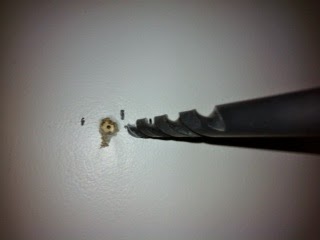
I use a 1/2 inch drill bit to bore out the hole. It stops at the stud. You can see the full stud that way to make sure you are in the middle. If the hole is off centre I move the pilot screw over.


They tell you to hand crank the bolts and use soap to reduce friction. Use a smaller 3 inch screw to make a pilot hole. You see my stud finder marks and the pilot hole. The screw will go into the center of the stud thanks to a guide path.


2. Plan for expansion when you mount it.


I found the marks for six mounting screws aligned for a larger TV. I used the rightmost two rows. You won't see the third row behind that TV and you can use it for extra mounting of shelves if you need it. You can shift the TV over to the centre.

3. They tell you to hand screw them in, but that will lead to more friction and you might wreck your work.


I use a ratchet to work in the guide hole. If the screw is not solid within 10 turns you don't have it centred in the stud or you are driving it crooked. Remove and dig into drywall more.

Then I remove the bolts to place the mounting bracket.

4. Get a kid to help hold it in place. Wives want to be the supervisor and tell you you're doing it wrong.  Kids just want to help and they are happy to hold it.


 Your prepositioned holes will make the first two go in smoother.  Take turns on the bolts. This reduces friction that might heat the bolt, switch bolts after half an inch to let them cool down. The ratchet makes it easy to snug them up to the bracket.

5. Don't worry about position until you are almost ready to snug them.


6.   You should be at this stage now.


7. Use vice grips with the screwdriver to mate bolts and nuts.  The metal they use is the bare minimum for weight, so the screw heads strip easily. I use the vice grip on the nut end to tighten not the screwdriver so it doesn't strip them as much.


8.Get that helper again and mount the TV. Turn it on before you throw anything away. Let the family clean it up, you've earned a break!


9.  Now you are ready to enjoy it.


Friday, November 14, 2014

How to include SVG graphics in latex compiles

Don't use latex, use pdflatex with  --shell-escape option

pdflatex --shell-escape condition-test

Example:  condition-test.tex


\documentclass{article}
\usepackage[inkscape=/usr/bin/inkscape]{svg}
\usepackage{amsmath}
\usepackage{etoolbox}

\newbool{EPUB}
\booltrue{EPUB}

\begin{document}
This is a test of the conditional change to SVG graphics for cards.

\begin{figure}[test]
      \centering
    \ifbool{EPUB}{\includesvg{queen-diamond-red}
    }{
    \includesvg{king-skull-black}
    }%
  \caption{svg image switch}%
\end{figure}

\end{document}
The  queen-diamond-red  SVG image.
https://www.dropbox.com/s/aug0drcrl45xj5h/queen-diamond-red.svg?dl=0

The King skull alternative SVG image.

 https://www.dropbox.com/s/3sw7tdsojydu3at/king-skull-black.svg?dl=0

Online Free HTML Editor with instant preview

http://www.w3schools.com/html/tryit.asp?filename=tryhtml_table

OK so you need to do a little HTML editing but you don't want to run any software or load it onto your machine?

Go to TryIt Editor from W3C Schools at the link above and edit an HTML text snippet online. 

Tuesday, November 4, 2014

Forcibly removing debian packages from ubuntu

If you have a broken package on ubuntu and you want to get rid of it, then you need to remove the bad package - in this file called PACKAGE - from the file  folder  /var/lib/dpkg/info/* . It holds the info files:

for example

nordugrid-arc-ldap-infosys.conffiles
nordugrid-arc-ldap-infosys.list
nordugrid-arc-ldap-infosys.md5sums
nordugrid-arc-ldap-infosys.postinst
nordugrid-arc-ldap-infosys.postrm
nordugrid-arc-ldap-infosys.prerm
These must all be moved out to avoid dpkg from exiting on error.

Run these commands on the Package to excoriate it:


mv /var/lib/dpkg/info/PACKAGE.* /tmp/
 
dpkg --remove --force-remove-reinstreq PACKAGE


Saturday, November 1, 2014

My complaints against LaTeX

There are a lot of real advantages to the LaTeX / TeX document preparation software suites developed for real publishing applications.  Those that know these tools can recite all of them to you at length. 

I am not going to describe them to you because they are well documented by people cheering for them.  I can't argue that LaTeX / TeX and so on can't be used to do many things.  I hope to be able to do these great things, presuming

The great things done are all based on one simple fact: you need to know the system, to understand them fully, and to spend a lot of time reading and researching to get all the arcane answers.

It's ultimate power is also it's greatest weakness.  The problem is that the knowledge is held by a cabal, a group of technocrats that look down their noses at you if you don't want to spend a lot of time getting acquainted with all the ways to use LaTeX. 

I used to be an apologist for a lot of problems in Linux or open source software, the fact that free and open are big assets to many projects.  But not everyone can accept the weaknesses that come with no support, little documentation, and a small community that could help you if they were still around to answer emails.  A lot of open source software dies on the vine because people aren't paid to develop it at school, they get bored or have a kid and so on. Without the monetary incentive it gets lost.  It's actually a great tragedy - code that wastes away without use.

Now, LaTex is the same kind of development, lots of power, lots of thoughtful users, but it still needs a lot of quaint specific knowledge.  And the possessors are mostly snobby and unhelpful. 

Most people use simple word processors because they don't want the hassle of learning to code their word processing.  LaTex and ilk requires an investment that most people don't want to make.  They aren't paid to learn processing - that can be solved by simpler software.

So it's a new fresh hell when you try to learn - because most people weren't educated with LaTeX  - most weren't in diapers when it was written.  It's hard to get help and the people that know this stuff don't waste their time improving documentation - especially new examples - to help those that need it. 

To sort this out, the LaTeX community must get past their egos and truly help people learn their system or it will end up in the open source graveyard.