TinyURL widget - shorten your URL's for free!

Enter a long URL to make tiny:

Monday, April 6, 2015

Correct Video Sequence Names in OpenShot

I used this post to make this animated GIF:


And this longer one


My previous posts dealt with how to make an animated GIF.

I use openshot to convert a video sequence into a image sequence.

There is a problem with the default naming sequence for openshot.  If you leave it as default it uses the printf number format:

%d

which then puts  __1.png

besides    _100.png

in the sequence.


It is set in the export menu


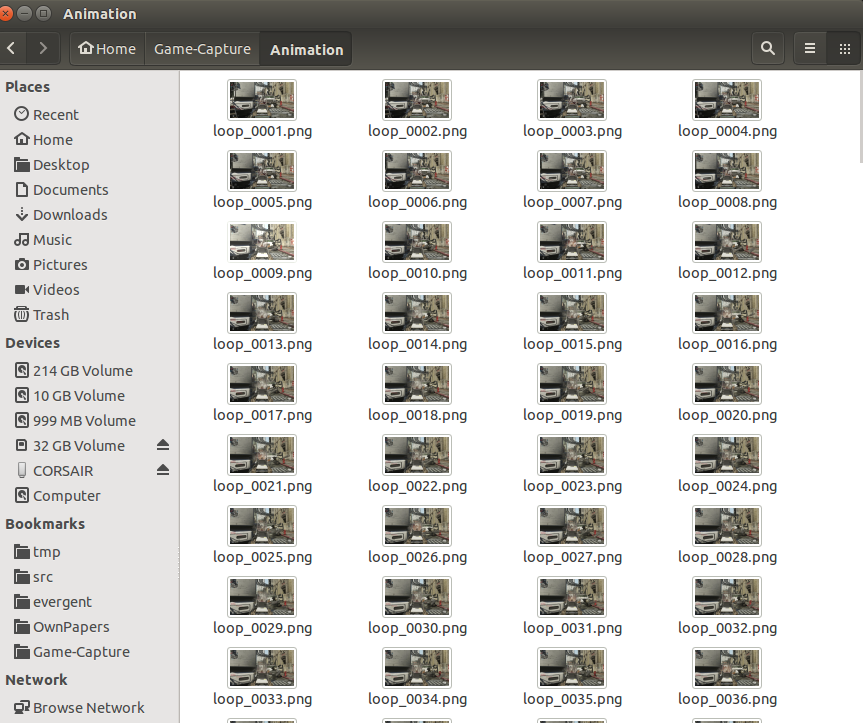
Instead, increase the number format to have say 4 digits which will be zeros preceding the number like this

%4d

instead of

%d

It is using good ol C printf format so this will make the right sequence like so:


Saturday, April 4, 2015

How to make Animated GIFs Part 2

Ok;


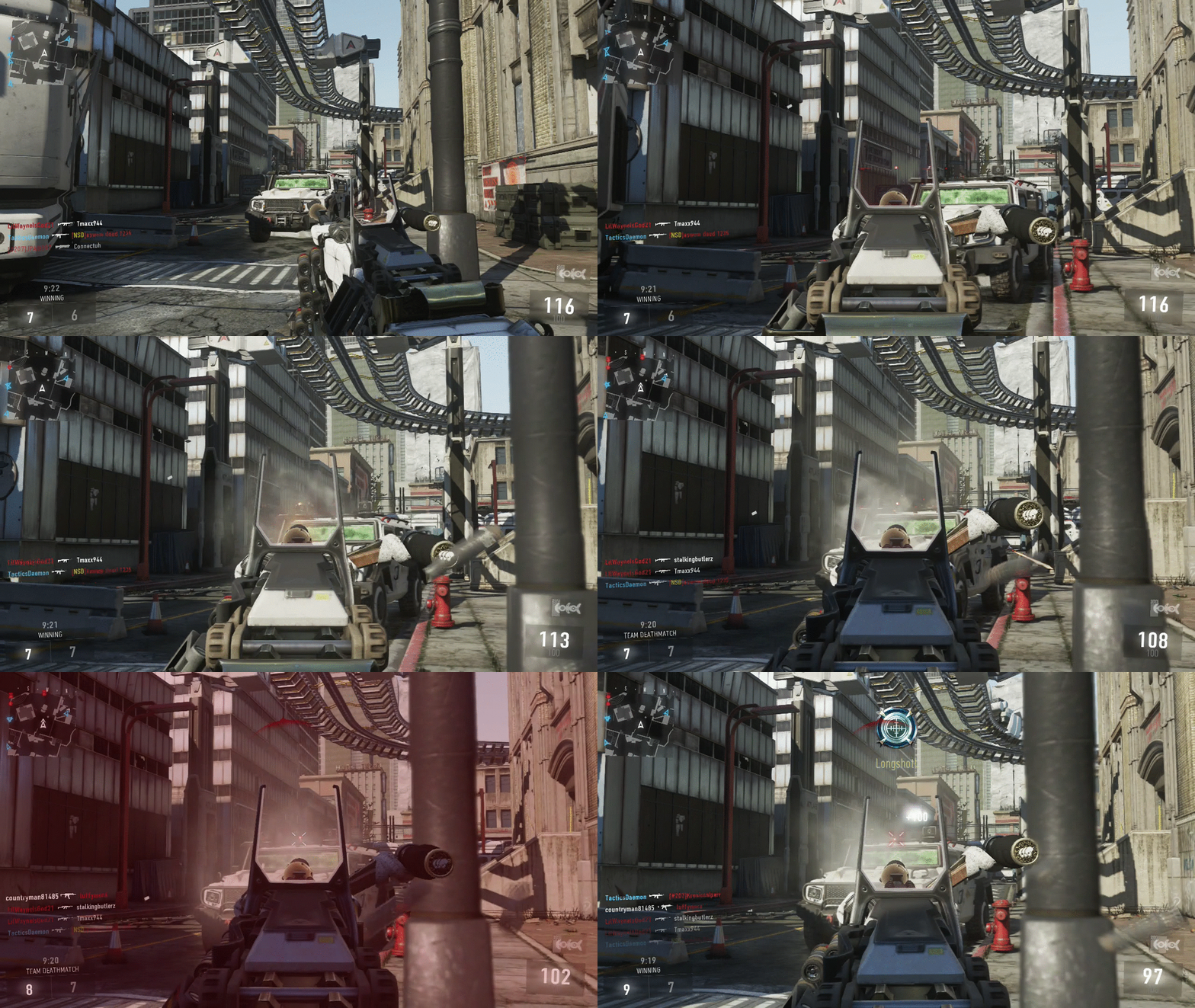
This summarizes the work in past posts, I have made an animated GIF from Call of Duty: Advanced Warfare and I used this post:

http://techdiagnosys.blogspot.ca/2015/04/bash-shell-scripting-read-all-files-in.html


to remove every nth file from a series of PNG files and then I used ImageMagick to convert them into an animated GIF with a reasonable loop speed.

I use this post to convert:

http://techdiagnosys.blogspot.ca/2015/04/how-to-make-animated-gif-using-image.html

I could iterate the .png file reduction by every 3, 4 or 5 files recursively until down to the right size.

I know that blogger can upload files up to 45MB animated GIFs since that's what this one above is.

I hope this helps you and most likely me when I forget how to do this.


BASH Shell scripting: read all files in directory, read files of .suffix, remove the nth file, and output count

BASH is hard for beginners and even pros; unless you were taught all the contexts of data and variables, then it's hard to remember which circumstance makes sense.

The biggest problem with Linux is the powerful tools matched with skimpy documentation.  It resides in the brains of people that forget to pass it on.

Or, perversely, the people that want to hoard the information and make you beg them to reveal it.  I really don't like that attitude from the older SYSV crowd, they seem to be helping by answering questions but it would be better to take the time and write out complete methodical examples. And to explain step by step.

The unix community has a penchant for Munchausen syndrome. It has a need to be asked for help rather than just being helpful.

I would recommend if you are trying to learn to make simple examples with the dangerous parts left out and build up functionality from simple parts.

For these examples, I started making a shell script that could read files, then read certain files, then read and delete certain files.  I made lots of mistakes and the directory was placed in /tmp in case I toasted it.

This script would be good for someone trying to make a GIF from a series of image files. Sometimes people that want to do the functionality but don't want to learn a language this is a good post for that.

I made this really bad animation removing every third file over and over unto a nonsensical mess but it made an interesting GIF.


This shellscript reads all files of any type (not hidden) in the present working directory and echos the file name and increments a counter.

At the end, it outputs the count of files:


#!/bin/bash
x=0
FILES=./*        # BASH resolves variable for you
for  f in $FILES
do
    echo $f        # iterates through and echoes
    ((x++))         # postincrements counter for all type file
done
echo "$x"

You can find this file here

If you want read and count files of a certain .suffix then  send it as a command line argument in this case $1 first arg. NOTE: don't include the '.' !

#!/bin/bash
# this version reads files of a certain .suffix passed as arg $1
x=0
FILES=./*.$1        # BASH resolves variable for you
for  f in $FILES
do
    echo $f        # iterates through and echoes
    ((x++))         # postincrements counter for all type file
done
echo "$x"
You can find this file here

For a good tutorial of if then constructs go here:

If you want to iterate through and remove every nth file in that file list with the suffix, then execute this shellscript:

#!/bin/bash
# DRE 2015 - Thinking, Realizing, Reacting
# this version reads files of a certain .suffix passed as arg $1
x=0
y=0
n=$2
echo $n
FILES=./*.$1        # BASH resolves variable for you
for  f in $FILES
do
    echo $f        # iterates through and echoes
    ((x++))         # postincrements counter for all type file
    if ((x%n == 0))  ;  then  # test for file increment and execute
        rm -f "$f"   # you need to quote filename variable to get name in proper format to rm command
        ((y++))    
    else
        :   # this is the BASH no operation (NOOP) command
    fi
done
echo files count: "$x"
echo files removed : "$y"
You can find this file here


TO RUN THIS COMMAND, Open a SHELL and type:

sh ~/shellscripts/remove_n_file.sh png 3

( I put all my shell scripts into a common folder shellscripts. Your placement will vary command. )

inside the directory with a series of PNG image sequence files.  This will look for all .png files and removes every 3rd one. mod 3 for this example.

So if you have 2100 files, the first run through of the script would remove about 700 files.  Note that the contents would still be in sequence.  Then, if you wanted to reduce them further just do this again and again and it will remove from the same sequence over and over. You can compensate for varying the loop delay time with Image Magick. Of course if you thin out too many images the sequence will go really fast and may not work right.  This is the art of the process. 

To make a good motion animated GIF you should be looking at a sequence that's a few second in video length.

This shell script takes 2 variables, the suffix first and then the number file to delete.

Note for sake of simplicity there is no error checking here so you can destroy the contents you are working on. Use against a copy folder!  This is a tutorial not a production shell script.

The tricks are you use the (()) C argument mode to evaluate math properly, so you don't need $variable names but the actual variables.

You need to quote the $f filename to send it resolved to remove command.


NOTE:

This shellscript DOES work on ubuntu 14.10 with:

 bash --version
GNU bash, version 4.3.30(1)-release (x86_64-pc-linux-gnu)
Copyright (C) 2013 Free Software Foundation, Inc.
License GPLv3+: GNU GPL version 3 or later <http://gnu.org/licenses/gpl.html>

This is free software; you are free to change and redistribute it.
There is NO WARRANTY, to the extent permitted by law.

If you change the downloaded file permission to executable

chmod u+x remove_n_file.sh

to allow it to run and run without sh

~/shellscripts/remove_n_file.sh png 3

and it does work on Fedora 20 with:

 bash --version
GNU bash, version 4.2.53(1)-release (x86_64-redhat-linux-gnu)
Copyright (C) 2011 Free Software Foundation, Inc.
License GPLv3+: GNU GPL version 3 or later <http://gnu.org/licenses/gpl.html>

This is free software; you are free to change and redistribute it.
There is NO WARRANTY, to the extent permitted by law.


How to make an animated GIF using Image Magick

HOW TO MAKE SIMPLE  ANIMATED GIF USING CONVERT - IMAGE MAGICK


This is for someone using ImageMagick on linux, sorry Windows people I don't know if this works on Windows.

1. Create a sequence of same size jpg files.


2. Move all files into one directory

3. Rename then to a sequence name%d.jpg file list


4. Then run from command line:

convert -delay 100 -loop 0 image*.jpg animation.gif

http://books.google.ca/books/about?id=_CbHBwAAQBAJ&redir_esc=y
Animation.gif with .png files

Thursday, March 26, 2015

Gnu Make real-time variable static library construction and testing

You can do a lot without automake, but I don't recommend it. In some cases it makes sense if you can isolate your work in development to simple lightweight fast code that doesn't have a lot of dependencies.

Also, GNU make is hard to learn without real examples.  The GNU suite of tools, GCC included is very steep learning for a beginner.  A lot of time is spent on head smashing against grammar errors.  Gnu tools are very unforgiving. I have learned by error and pattern more times than not.

So when I do things that are complicated, and use the special rules, I will try to pass on what I know by writing them down.

This code will appear in marrspace in the future.   I have off-lined this development in order to make sure this piece works first.  Once that's accomplished I will install the working code inside marrspace.

# Makefile for the messages that come out of the visual information message packages

# DRE 2015
# This library makes a C protocol buffers implementation for other code elsewhere.
# This nasty little subdir should be kept isolated as it deals with agnostic elements of a message protocol.
# that does not need localization because it is stripped away from operating system issues.
# It is a self contained message generation folder.
# that can make a library of messages if needed that can be referenced elsewhere.
# The makefile need only append more message types into MESSAGES and
# that will make a longer list of message elements compiled together.
# I made a test application for atof when it didn't convert large double values correctly, to check if you need strtod
#
# Self-contained testing can happen between msg1 that pipes to msg2 a generic message
# If the output looks like the input, the messages are working

MESSAGES = VMessage  FMessage  GMessage  LMessage  PMessage  MMessage WMessage

# redefine all message types as the final protocol-buffer autogenerated pb-c.c files that might not be present when the folder is spawned

MESSAGES_C = $(MESSAGES:=.pb-c.c)

# redefine all message types as protocol .proto files from the same root. This will tell you if the message is missing as well.
MESSAGES_P = $(MESSAGES:=.proto)
# redefine messages as object files.

MESSAGES_O = $(MESSAGES:=.pb-c.o)


CC = gcc
AR = ar
CFLAGS     = -I./
OBJ1     = msg1.o
OBJ2     = msg2.o

LIBS = -lprotobuf-c -lm libmessage.a

msg1: $(OBJ1)
    $(CC) -o $@ $^ $(MESSAGES_C) $(CFLAGS)  $(LIBS)

msg2: $(OBJ2)
    $(CC) -o $@ $^ $(MESSAGES_C) $(CFLAGS) $(LIBS)

libmessage:  VisObject.o $(MESSAGES_O)
    $(AR) ru  libmessage.a  VisObject.o $(MESSAGES_O)


test-atof: test-atof.o
    $(CC) -o $@ $^ $(CFLAGS) $(LIBS)

.PHONY:    clean check


list : $(MESSAGES_P)
    echo $(MESSAGES_C)
    echo $(MESSAGES_P)

messages :    $(MESSAGES_P)
    protoc-c --c_out=./ $(MESSAGES_P)

all :  messages  libmessage msg1 msg2

# tester recipe that creates the test case and sends data through and outputs to file test.out so you can review what was sent.
# we use the special case $(shell command) to send BASH a command line to execute.
check:  msg1 msg2
    $(shell ./msg1 1  23.44  34.55666 56566 43433.3 4545454.4 444444.5 9999999999999999999993.0  45   -7.777777777777777e1 | ./msg2 2> test.out  )


clean    :   
    rm -f *.o
    rm -f *.pb-c.c
    rm -f *.pb-c.h
    rm -fr *~
    rm -f msg1 msg2 test-atof
    rm -f test.out
    rm -f libmessage.a


    This is a modified version of yesterday's work.  Instead of making two programs with all the C object files, I use the AR archive program to make a static library that is linked to the programs.  Why static? Because it will be small and you want it to run fast.  Why make only? Because this code is agnostic because it references library dependencies that aren't unique apart from protocol buffers that are made generic.  Why C? Because the production system needs to run extremely fast. The marrspace library adds vertexes and lines to a rolling real time model of the visual scene.  I detest bloated C++ code so I am taking more time to make functions that will execute minimally.


To test the output of the piped message from msg1 to msg2 by using a phony recipe that runs the two programs with a canned set of data. 


I use the special $(shell) command to run in the shell's environment.  To call it phony means that make won't look for output files from the shell execution.  There is a test output .out made so one can review the messages passed and converted.  That's all you need for a production library.  GNU make is more powerful than people imagine, if only people have the time to read all the documentation.


Tuesday, March 24, 2015

Making auto substitutions in GNU Makefiles

One of the skills I stumbled with being a self-taught Unix programmer, was to uncover all the tricks that Unix style development has. 

If you make a makefile, and want to autocreate variables from a pattern, then you can use make's variable substitution to keep a growing list without needing automake. 

There are of course many places where the need for many libraries and so on won't make that a portable thing, you will have too many dependencies that creep in and spoil the simplicity. 

I was hit with the need to make a simple self-contained message protocol to pass data, and I started with Google's protocol buffers in C. 

Since those are simple self-contained protocols that pass data and depend on one library, I thought I could just get away with a Makefile for this subdir:

Here is the reference for substitution:

https://www.gnu.org/software/make/manual/html_node/Substitution-Refs.html#Substitution-Ref

here is the simple Makefile


MESSAGES = VMessage  FMessage  GMessage  LMessage  PMessage  MMessage WMessage
# redefine all message types as the final protocol-buffer autogenerated pb-c.c files that might not be present when the folder is spawned
MESSAGES_C = $(MESSAGES:=.pb-c.c)
# redefine all message types as protocol .proto files from the same root. This will tell you if the message is missing as well.
MESSAGES_P = $(MESSAGES:=.proto)

CC = gcc

CFLAGS     = -I./
OBJ1     = msg1.o
OBJ2     = msg2.o

LIBS = -lprotobuf-c

msg1: $(OBJ1)
    $(CC) -o $@ $^ $(MESSAGES_C) $(CFLAGS)  $(LIBS)

msg2: $(OBJ2)
    $(CC) -o $@ $^ $(MESSAGES_C) $(CFLAGS) $(LIBS)


list : $(MESSAGES_P)
    echo $(MESSAGES_C);
    echo $(MESSAGES_P);

messages :    $(MESSAGES)
    protoc-c --c_out=./ *.proto

all : messages msg1 msg2

.PHONY:    clean

clean    :  
    rm -f *.o
    rm -f *.pb-c.c
    rm -f *.pb-c.h
    rm -fr *~


To explain,   I define a message xMessage, and then the variable is subtstituted into $MESSAGES_C which places a .pb-c.c suffix onto the name of every message. 

The command

MESSAGES_C = $(MESSAGES:=.pb-c.c)

 defines a variable that takes every MESSAGES and adds a .pb-c.c variant that will be the autogenerated .c file from  'make messages'. These are generated from the protoc-c command.

The command

MESSAGES_P = $(MESSAGES:=.proto)
makes a similar .proto file variable if the prototype does not exist.  Why is this useful? Because what if you hadn't made all the messages first, or they were improperly defined, then your message library would be incomplete and might compile and execute leading to undefined behaviour.

One could change it to the other way around but what if I wanted a "ERROR" message as well, they don't have to follow a pattern.  The names don't have to be the same to work.  The library doesn't care but a human reader might.

Then it defines a dependency xMessage.proto which is the message prototype under the protocol buffers system to package a message.

Those are used as dependencies to make a simple message testing program set of msg1 and msg2.


Tuesday, March 10, 2015

How to import VCF cards into Mozilla Thunderbird

It seems odd that a major email application can't import the standard contact information file (.vcf) natively.  It's sad but true.

According to this support reply:

https://support.mozilla.org/en-US/questions/994358


vCard or .vcf
Some address book programs use a vCard format, which cannot be imported directly by Thunderbird. You can import both vCard and .vcf using the third-party Thunderbird extension 'MoreFunctionsForAddressBook'.
https://nic-nac-project.org/~kaosmos/morecols-en.html
  • download to desktop or 'downloads' folder on computer.
  • In Thunderbird. 'Tools' > 'Add-ons' to open 'Add-ons manager' in a new tab
  • click on the daisy wheel icon and select 'Install Addon from file
  • locate the .xpi file you downloaded
  • click on Open to install in Thunderbird
Save the vcard / .vcf attachment to eg: desktop
In Thunderbird:
  • open 'Address Book'
  • select the address book you want it to go to
  • 'Tools' > 'morefunctionforAddressBook' > 'Action for contacts' > 'Import vCard/vcf'
  • locate the saved vcard/.vcf file and click on 'Open'

Download the .xpi file form that website address and follow the installation instructions, then you need to restart Thunderbird.

NOTE: You need to save VCF cards to file and import them, this won't work natively from the email itself!!!